Now available · Founder pricing

Stop guessing what
content works on LinkedIn

Sort any LinkedIn profile's posts by reactions, comments, or reposts. Find winning content patterns in 10 seconds.

Add to Chrome — free See how it works

Pro is $49 one-time · No subscription · Works on any public LinkedIn profile

Free plan available — install the extension free
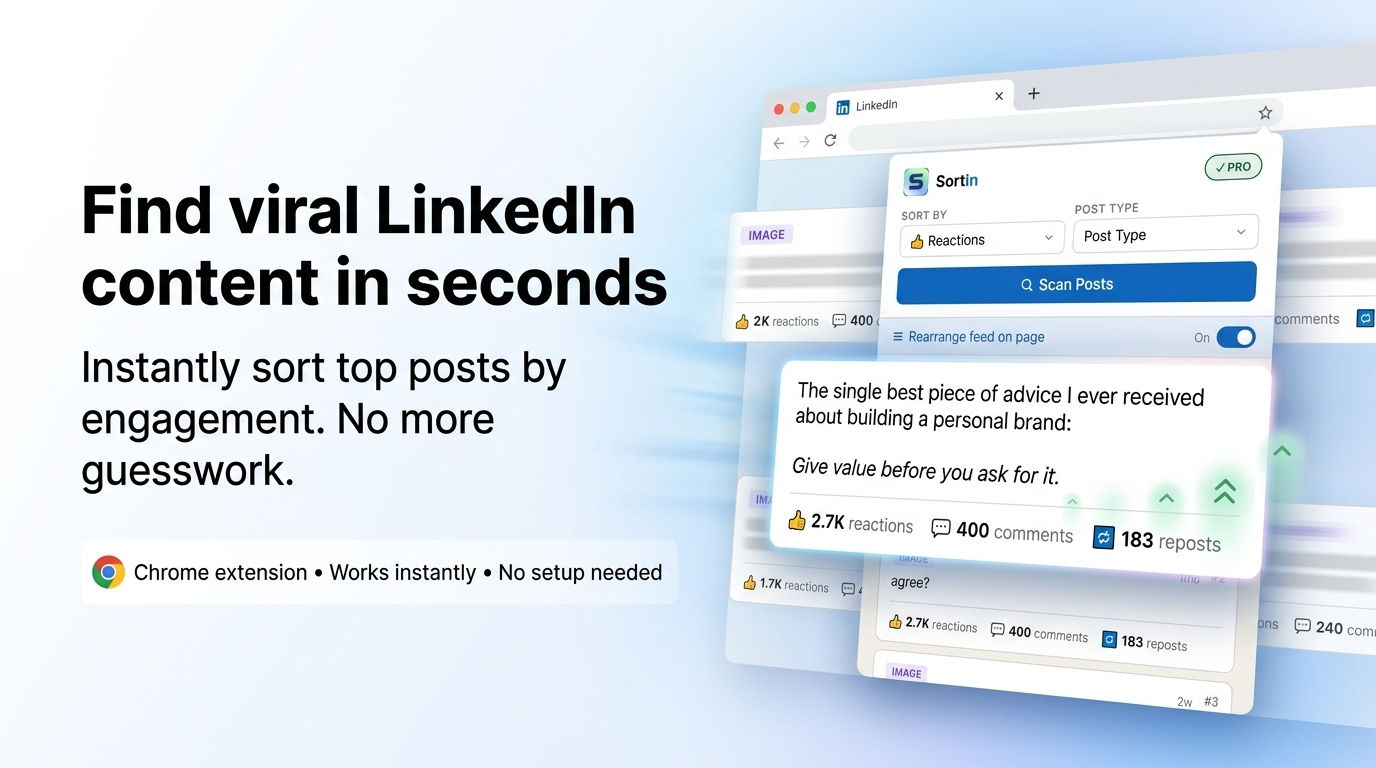
SortIn Pro extension showing LinkedIn posts sorted by engagement

See SortIn in 30 seconds

Built for

LinkedIn Ghostwriters Content Strategists Personal Brand Agencies Social Media Managers Competitive Researchers Founders building in public

Features

Everything you need to reverse-engineer great content

↕️

Sort by any metric

Rank posts by reactions, comments, reposts, or total engagement. Instantly see what lands and what doesn't.

🎯

Filter by post type

Isolate text posts, images, videos, documents, or articles. Find what format performs best for any creator.

📄

Export to CSV

Download a full ranked spreadsheet with engagement numbers, dates, and URLs. Drop it straight into your client reports.

🔁

Rearrange the feed

Reorder the actual LinkedIn page by engagement score so you can read top posts in context — not just in the popup.

⚡

Works on any public profile

Scan any LinkedIn personal profile or company page. No LinkedIn account connection required. Just open and scan.

🔒

Your posts stay in your browser

Your post data is never sent to a server. No SortIn account needed. Pro license keys are checked with Gumroad.

How it works

From install to insights in under 60 seconds

1

Install SortIn Pro from the Chrome Web Store

One click install. No account needed. Works immediately after install.

2

Go to any LinkedIn profile

Open the profile or company page you want to analyse. No need to find the Activity section yourself.

3

Click Scan

Click Scan right from the profile page and you're taken to the Activity section, where SortIn reads the loaded posts. Scroll down to load more posts, then scan again to accumulate.

4

Sort, filter, and export

Rank by any metric. Filter by post type. Export to CSV for client reports or content audits.

How professionals use SortIn Pro

Ghostwriter

Nail the brief before writing a single word

Scan your client's last 3 months of posts. Find their top 10 by engagement. Understand exactly what topics, hooks, and formats their audience responds to.

Content Strategist

Run a competitor content audit in minutes

Sort a competitor's posts by total engagement. Identify their content pillars. Build a differentiated strategy backed by actual data, not guesswork.

Agency

Generate client reports that impress

Export a ranked CSV of any client's LinkedIn performance. Add it to your monthly report deck. Takes 2 minutes, looks like you spent 2 hours.

Founder

Learn from the best in your space

Find the top creators in your niche. Sort their posts by engagement. Understand what resonates with your shared audience before you write anything.

Pricing

Simple, honest pricing

🔒 Founder Pricing — Limited Time
$49

one-time payment · lock in before subscription pricing

Buy SortIn Pro — $49

Secure checkout via Gumroad · Instant delivery · Price will increase

Early adopters get lifetime access at $49. When subscription pricing launches, you're locked in at this price — forever.

FAQ

Questions

Does SortIn Pro work on any LinkedIn profile?

Yes — any public LinkedIn personal profile or company page. You don't need to be connected to the person. If their posts are publicly visible, SortIn Pro can scan them.

Does it need my LinkedIn password?

No. SortIn never asks for your LinkedIn password. You do need to be signed in to LinkedIn in your browser, as usual, to view a profile's activity.

Will my LinkedIn account get restricted?

SortIn reads posts from LinkedIn pages open in your own browser. It doesn't post, message or send connection requests. LinkedIn does restrict some third-party extensions, though, so we can't promise there is no risk.

How many posts can I scan?

Scroll down on the activity page to load more posts, then click Scan again to add them. SortIn saves up to 200 posts per profile. Free users see the top 20; Pro removes that limit.

Is this a subscription?

Not right now. Early adopters pay $49 once and get lifetime access. Subscription pricing is coming — but if you buy today, your access is locked in at this price permanently.

What's your refund policy?

If SortIn Pro doesn't work for you, email [email protected] within 7 days of purchase for a full refund. No questions asked.